Food Court Master.
One ticket, many kitchens.
The full operating system for multi-vendor food halls. Customer ordering, per-kitchen POS, editorial pickup boards, marketing campaigns, automated settlement — engineered on Clover, integrated with Zorder.
Tour the demo food hall.
A working food hall we set up in Honolulu to show the system. We built every screen, every workflow, every dashboard you'll see on this page. Tour it before you commit to a single piece of hardware.
Running a food hall on stitched-together POS is brutal.
Every screen your food hall needs.
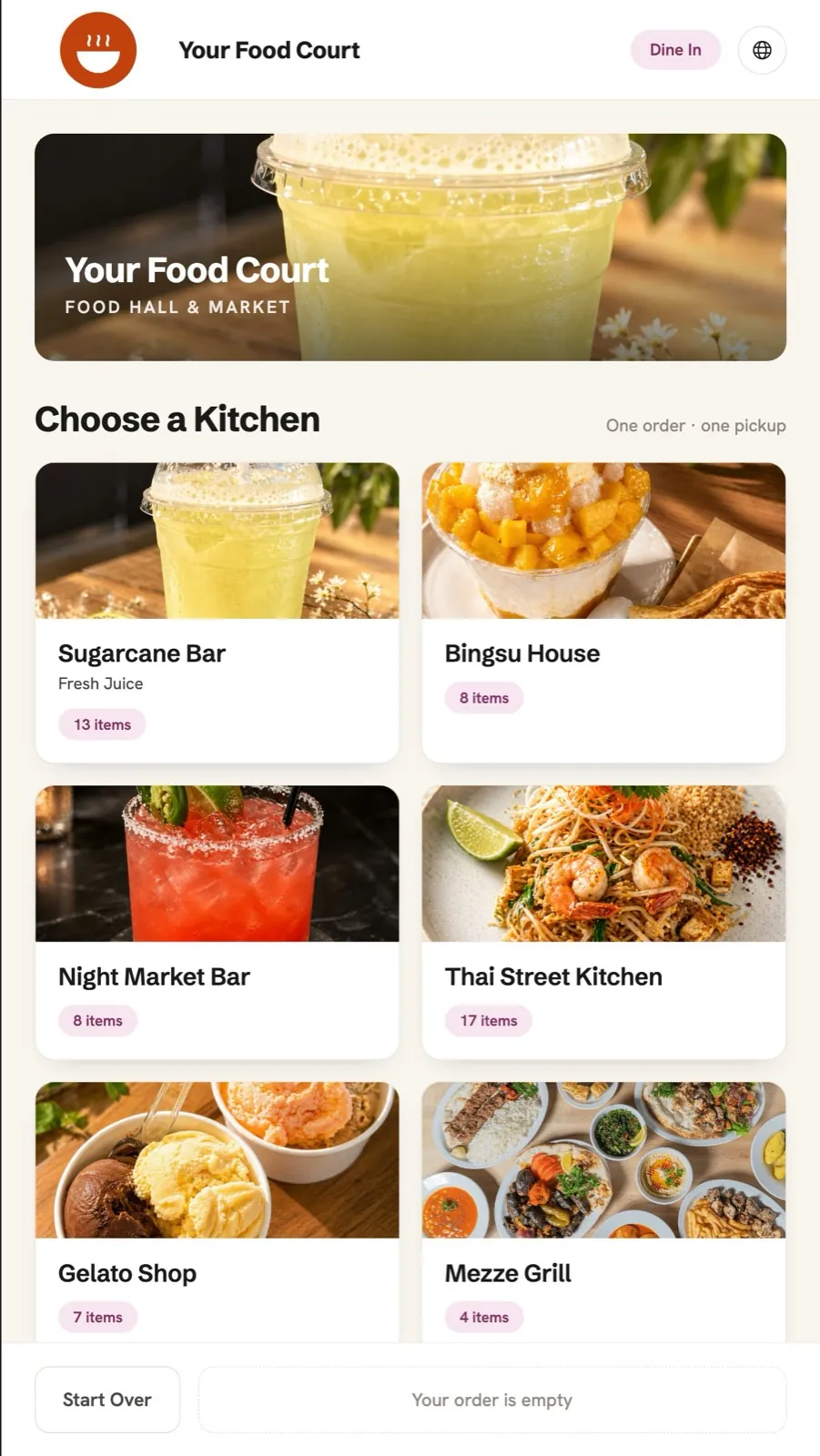
Pick a restaurant. Order at that counter. Pay there.
Each kitchen takes its own orders — self-order from kiosk or QR at that vendor, or order from the counter. Trilingual menus EN / 한국어 / 日本語 per vendor. Each vendor keeps full control of its own checkout.
- →Per-vendor ordering (one cart per restaurant)
- →Trilingual menus per item
- →Photos, modifiers, allergens
- →Card · Apple Pay · Google Pay
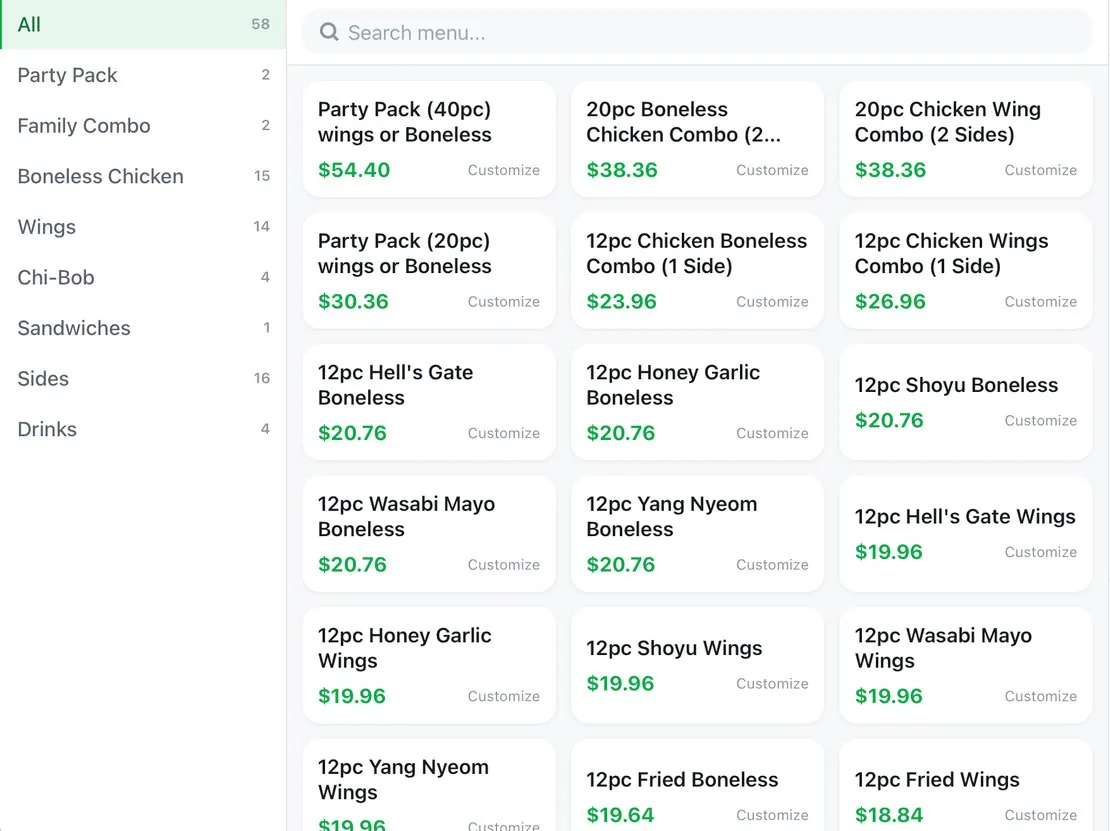
Each kitchen sees only its tickets.
Per-vendor POS view filtered to that kitchen's items. Queue tab for incoming, Order tab for new ring-ups, Dashboard for the day. Built on Clover hardware.
- →Filtered queue per vendor
- →Clover Station / Mini / Flex
- →SNPD card reader integrated
- →Real-time order status sync
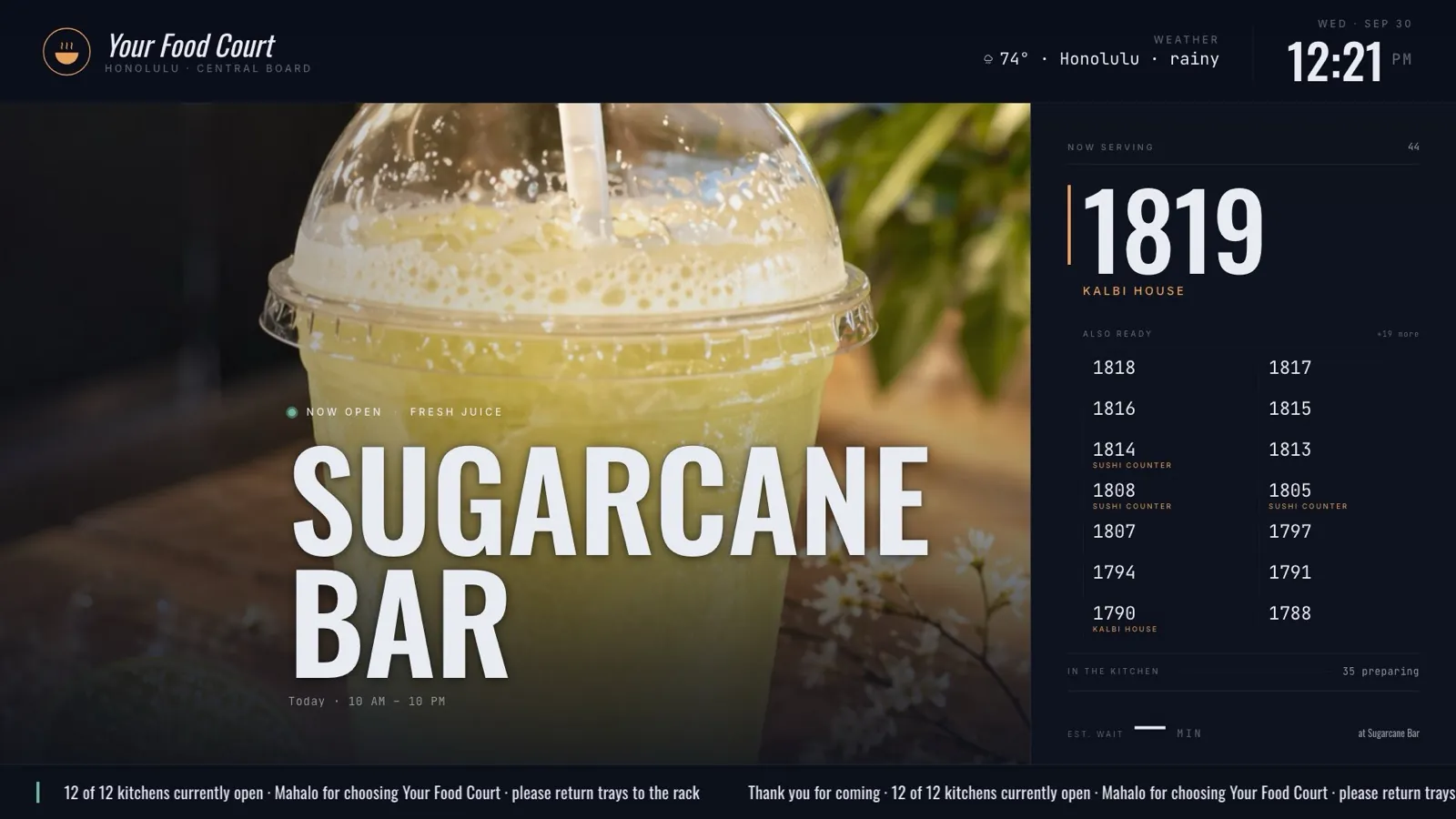
The big TV at the pickup station.
Editorial 1920×1080 layout — rotating featured vendor with full-bleed photography, live ready queue, vendor directory, and bottom ticker. Three theme presets.
- →Rotating featured vendor
- →Live ready / preparing queue
- →In-store giveaway QR (scan to enter)
- →Weather, time, mahalo ticker
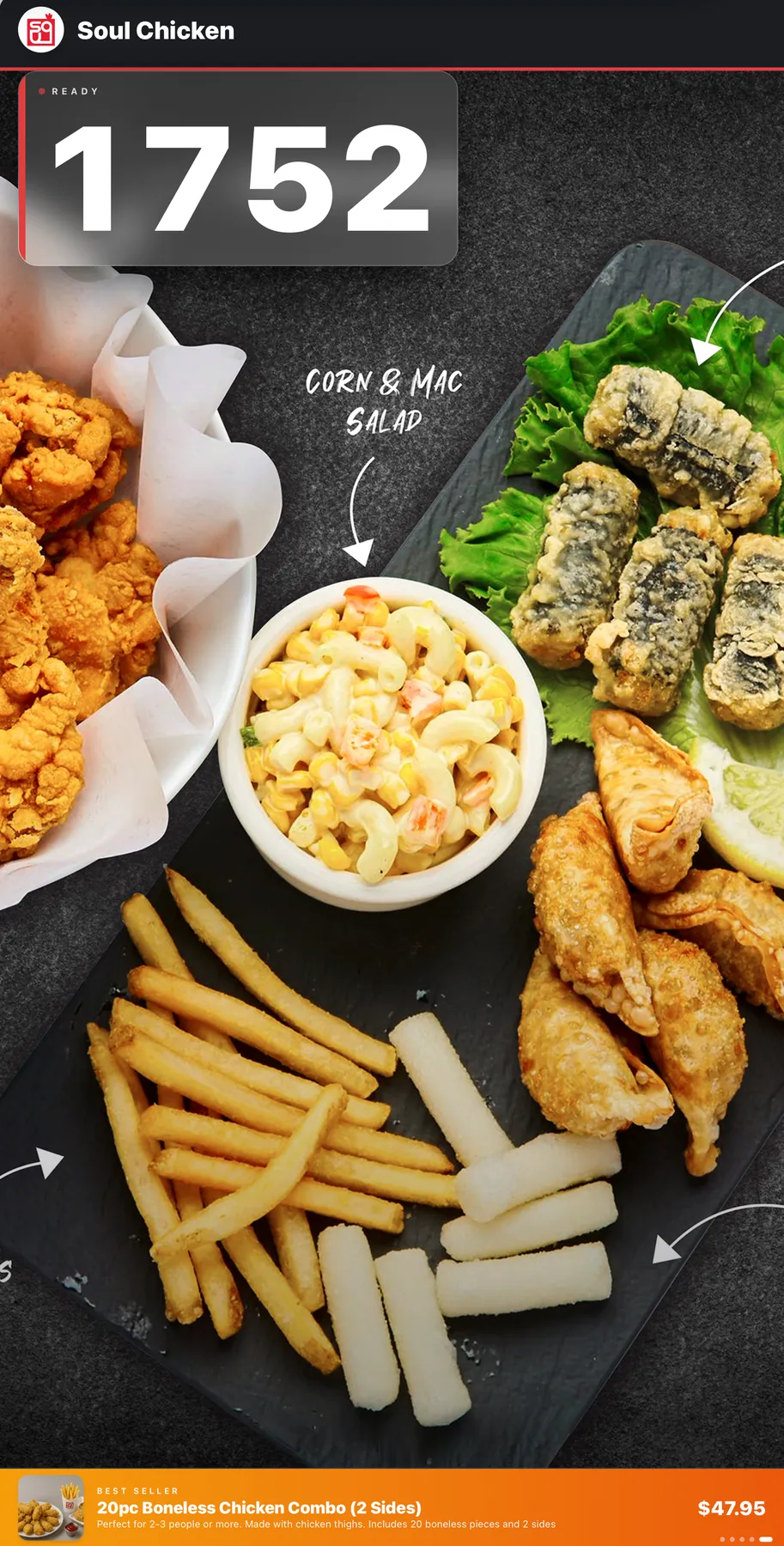
Portrait displays at every counter.
Vertical 1080×1920 displays per stall. Tap READY at the counter — the order number appears on the TV instantly and is voice-announced. Vendors swap in their own dish photos and pick their best-seller anytime.
- →Tap READY → number shows + voice call
- →Vendor uploads custom dish photos
- →Best-seller picked by vendor
- →Approved campaign banners
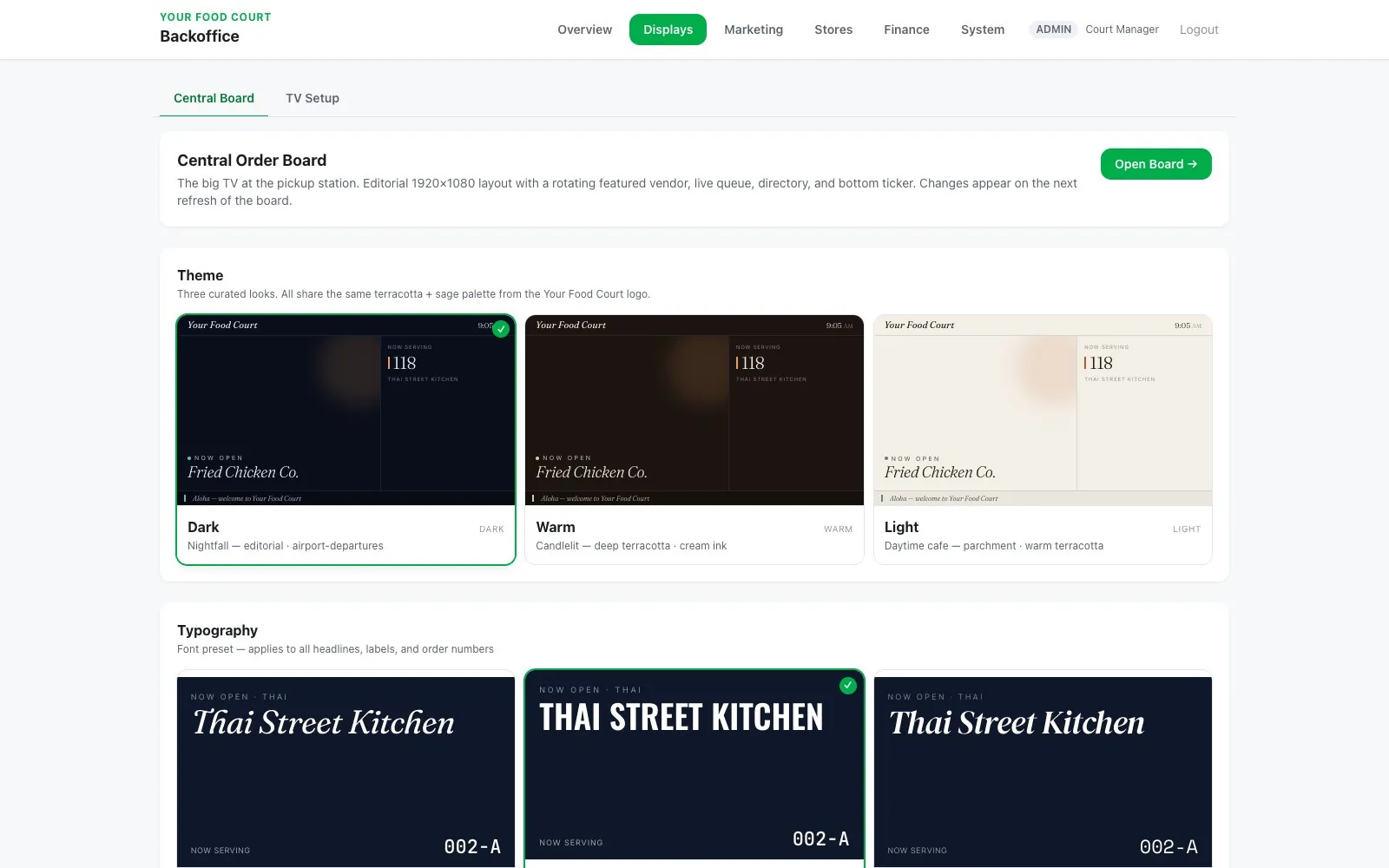
Three curated looks. One palette.
Operators choose Dark (nightfall · airport-departures), Warm (candlelit · deep terracotta), or Light (parchment · daytime cafe). Three typography presets — Editorial, Broadcast, Modern.
- →Dark · Warm · Light themes
- →Editorial · Broadcast · Modern type
- →Cohesive across all displays
- →No designer required
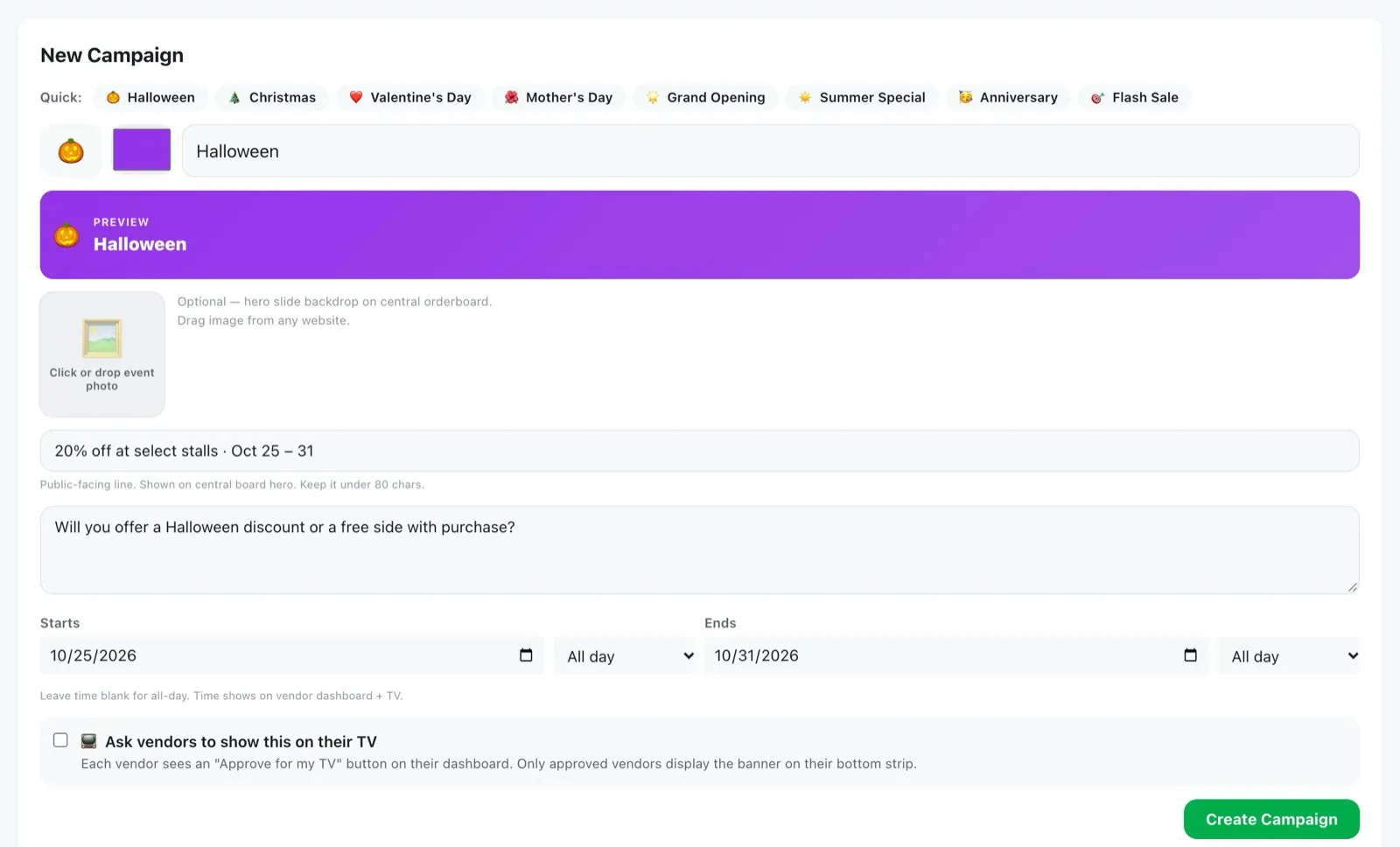
Campaigns, announcements, and giveaways — vendors actually run.
Three tabs in one engine. Campaigns push seasonal promos to counter TVs after vendor approval. Announcements broadcast hall-wide notices. Giveaways turn the Central Board into a monthly in-store draw — customers scan the QR to enter, the system auto-picks a winner on the 1st, and every entry becomes a marketing email you can re-target.
- →Campaigns · Announcements · Giveaways tabs
- →Operator request → vendor approves → live
- →In-store QR draw, auto-picks winners monthly
- →Every entry captured for re-marketing
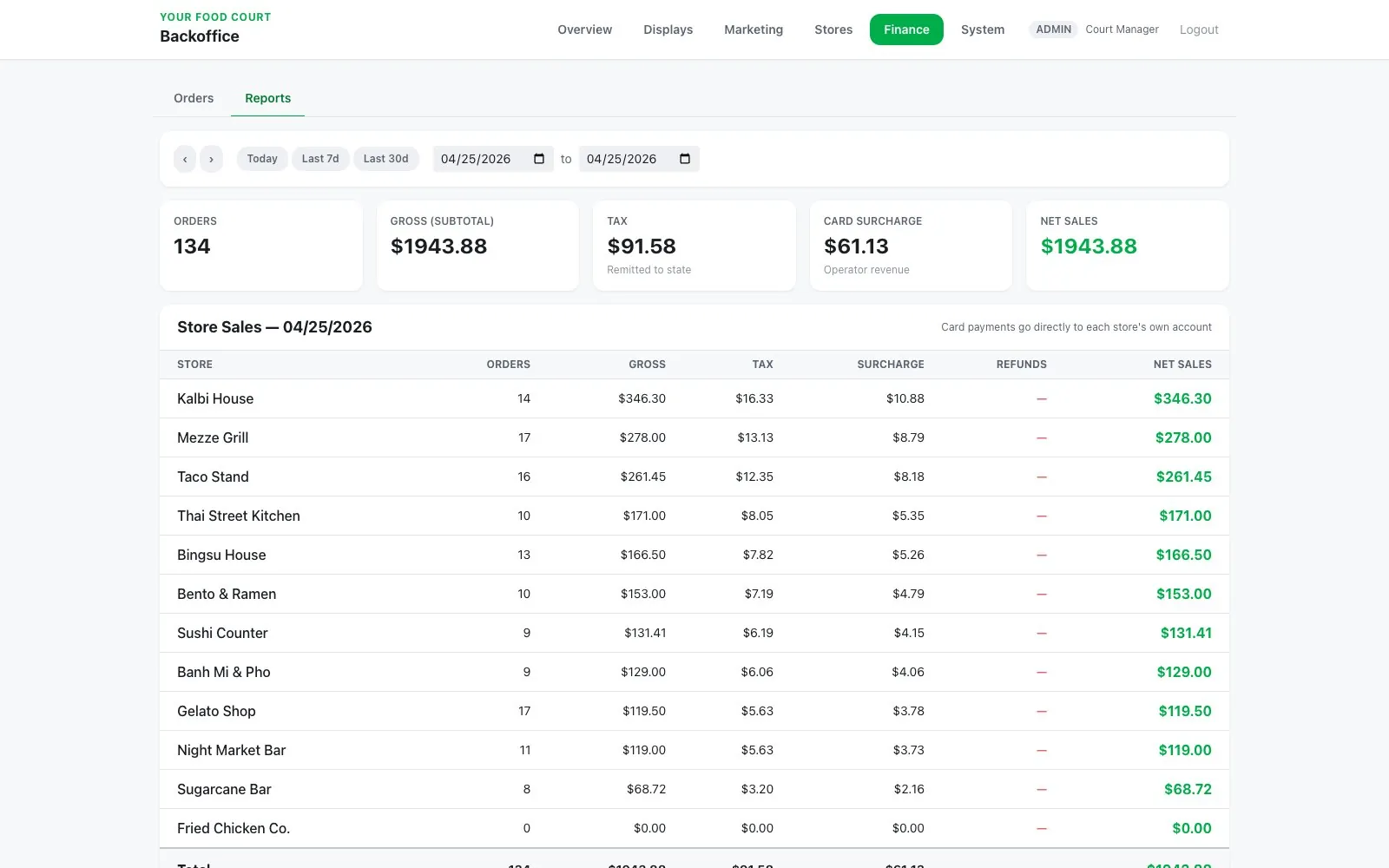
Every store's sales, on one screen.
Orders and Reports views. Each store's orders, gross, tax, card surcharge, and refunds for any day or date range — and card payments can go straight to each store's own account.
- →Per-store sales for any date range
- →Tax and card surcharge totals
- →Order-level refunds
- →Payments straight to each store
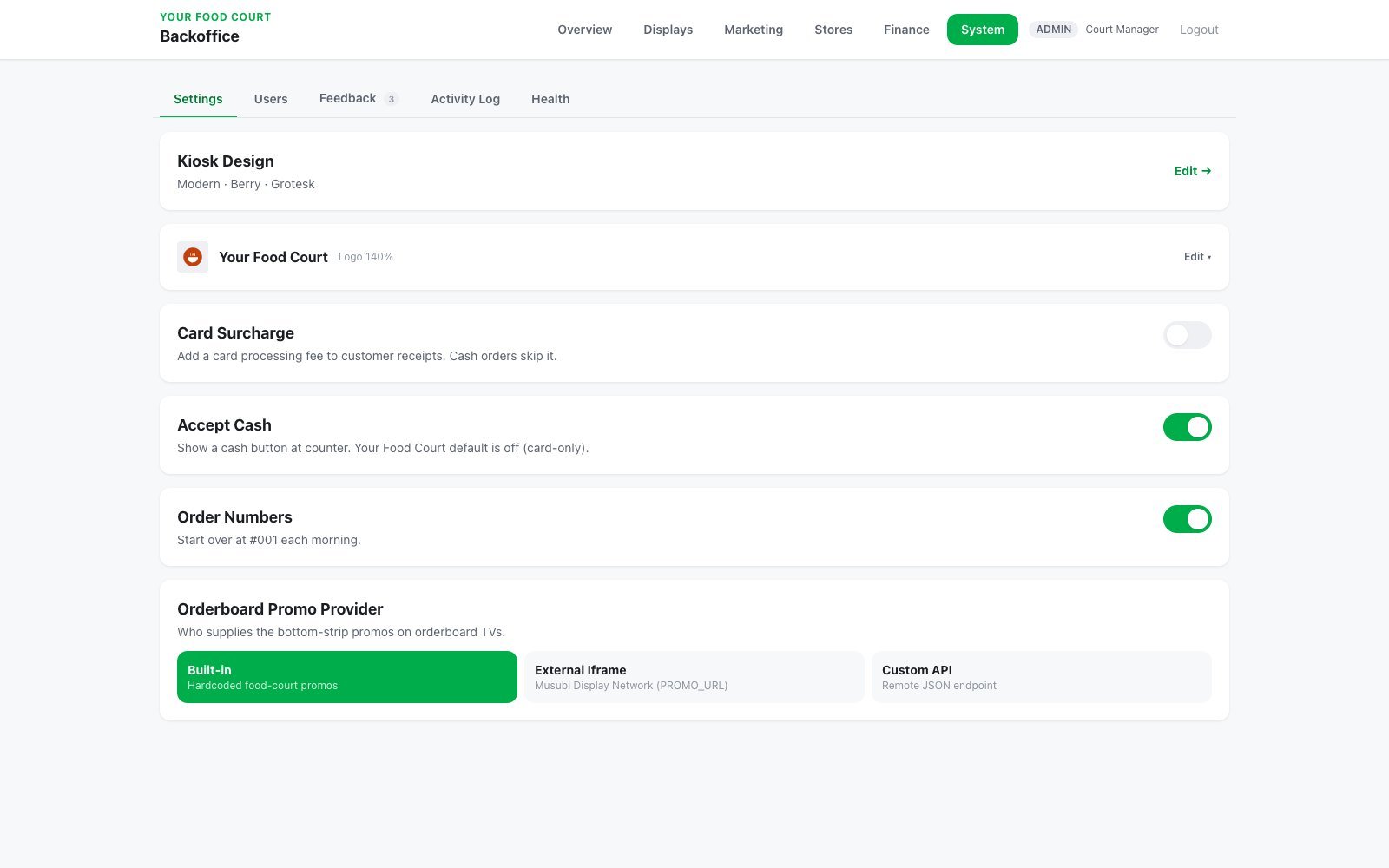
Card surcharge, branding, users, health.
Operator controls — kiosk design, food court name and logo, card surcharge on or off, accept cash, daily order numbers, user roles, activity log, and system health.
- →Card surcharge configuration
- →Kiosk design and court branding
- →User roles & permissions
- →Activity log + system health
Balanced. Every dollar accounted for.
End-of-day reconciliation that took your CPA hours now takes one screen. Card fees, platform fees, recovery, tax routing, vendor net — computed automatically per order. A green “Balanced” banner means the books are closed.
Hawaii-built on standards that actually work.
- Clover Station
- Clover Mini
- Clover Flex
- Pickup TVs (1080p+)
- Counter portrait TVs
- Multi-vendor POS
- Backoffice operator panel
- Central Board renderer
- Vendor counter app
- Clover merchant services
- Clover App Market — submission in progress
- Square integration — in progress
- Zorder native partner
- SNPD card reader
- Clover inventory sync
- English
- 한국어 (Korean)
- 日本語 (Japanese)
See Food Court Master.
Then build yours.
The first visit is free. No obligation.
We’ll walk you through the full Food Court Master demo live. Bring your floor plan, your vendor mix, and your existing processor statement — we’ll come back with a real quote.
Food Court Master.
One ticket, many kitchens.
The full operating system for multi-vendor food halls. Customer ordering, per-kitchen POS, editorial pickup boards, marketing campaigns, automated settlement — engineered on Clover, integrated with Zorder.
Tour the demo food hall.
A working food hall we set up in Honolulu to show the system. We built every screen, every workflow, every dashboard you'll see on this page. Tour it before you commit to a single piece of hardware.
Running a food hall on stitched-together POS is brutal.
Every screen your food hall needs.
Pick a restaurant. Order at that counter. Pay there.
Each kitchen takes its own orders — self-order from kiosk or QR at that vendor, or order from the counter. Trilingual menus EN / 한국어 / 日本語 per vendor. Each vendor keeps full control of its own checkout.
- →Per-vendor ordering (one cart per restaurant)
- →Trilingual menus per item
- →Photos, modifiers, allergens
- →Card · Apple Pay · Google Pay
Each kitchen sees only its tickets.
Per-vendor POS view filtered to that kitchen's items. Queue tab for incoming, Order tab for new ring-ups, Dashboard for the day. Built on Clover hardware.
- →Filtered queue per vendor
- →Clover Station / Mini / Flex
- →SNPD card reader integrated
- →Real-time order status sync
The big TV at the pickup station.
Editorial 1920×1080 layout — rotating featured vendor with full-bleed photography, live ready queue, vendor directory, and bottom ticker. Three theme presets.
- →Rotating featured vendor
- →Live ready / preparing queue
- →In-store giveaway QR (scan to enter)
- →Weather, time, mahalo ticker
Portrait displays at every counter.
Vertical 1080×1920 displays per stall. Tap READY at the counter — the order number appears on the TV instantly and is voice-announced. Vendors swap in their own dish photos and pick their best-seller anytime.
- →Tap READY → number shows + voice call
- →Vendor uploads custom dish photos
- →Best-seller picked by vendor
- →Approved campaign banners
Three curated looks. One palette.
Operators choose Dark (nightfall · airport-departures), Warm (candlelit · deep terracotta), or Light (parchment · daytime cafe). Three typography presets — Editorial, Broadcast, Modern.
- →Dark · Warm · Light themes
- →Editorial · Broadcast · Modern type
- →Cohesive across all displays
- →No designer required
Campaigns, announcements, and giveaways — vendors actually run.
Three tabs in one engine. Campaigns push seasonal promos to counter TVs after vendor approval. Announcements broadcast hall-wide notices. Giveaways turn the Central Board into a monthly in-store draw — customers scan the QR to enter, the system auto-picks a winner on the 1st, and every entry becomes a marketing email you can re-target.
- →Campaigns · Announcements · Giveaways tabs
- →Operator request → vendor approves → live
- →In-store QR draw, auto-picks winners monthly
- →Every entry captured for re-marketing
Every store's sales, on one screen.
Orders and Reports views. Each store's orders, gross, tax, card surcharge, and refunds for any day or date range — and card payments can go straight to each store's own account.
- →Per-store sales for any date range
- →Tax and card surcharge totals
- →Order-level refunds
- →Payments straight to each store
Card surcharge, branding, users, health.
Operator controls — kiosk design, food court name and logo, card surcharge on or off, accept cash, daily order numbers, user roles, activity log, and system health.
- →Card surcharge configuration
- →Kiosk design and court branding
- →User roles & permissions
- →Activity log + system health
Balanced. Every dollar accounted for.
End-of-day reconciliation that took your CPA hours now takes one screen. Card fees, platform fees, recovery, tax routing, vendor net — computed automatically per order. A green “Balanced” banner means the books are closed.
Hawaii-built on standards that actually work.
- Clover Station
- Clover Mini
- Clover Flex
- Pickup TVs (1080p+)
- Counter portrait TVs
- Multi-vendor POS
- Backoffice operator panel
- Central Board renderer
- Vendor counter app
- Clover merchant services
- Clover App Market — submission in progress
- Square integration — in progress
- Zorder native partner
- SNPD card reader
- Clover inventory sync
- English
- 한국어 (Korean)
- 日本語 (Japanese)
See Food Court Master.
Then build yours.
The first visit is free. No obligation.
We’ll walk you through the full Food Court Master demo live. Bring your floor plan, your vendor mix, and your existing processor statement — we’ll come back with a real quote.